
AT4K Launcher MOD APK 1.2 (Full Version)
v1.2
AT4K Launcher
Cute Little Apps · Personalization
If you are tired of the cluttered stock interface, intrusive ads, and irrelevant recommendations on your Android TV, AT4K Launcher is a genuine lifesaver. Instead of following the bloated trend of mainstream launchers,…
Information
| Version | 1.2 |
| Size | 4 MB |
| Requires | Android 8.1+ |
| Category | Personalization |
| Updated | Oct 16, 2026 |
| MOD info | Full Version |
| Google Play | Google Play |
How to install
- Download the APK file above to your phone.
- Allow “Install unknown apps” when prompted.
- Open the downloaded APK and tap Install.
- If the package includes OBB/XAPK data, follow the bundled instructions.
MOD APKs are modified builds, so Play Protect may show a warning. Install only if you trust the file; use at your own risk.
Description
If you are tired of the cluttered stock interface, intrusive ads, and irrelevant recommendations on your Android TV, AT4K Launcher is a genuine lifesaver. Instead of following the bloated trend of mainstream launchers, this app adopts an ultra-minimalist approach while delivering a remarkably sleek, premium, and fluid user experience right from the first install. It is astonishingly lightweight, effortlessly lifting the heavy performance burden off the modest hardware found in most Android TV boxes today.
Minimalist Interface Design
This launcher focuses squarely on clarity and ease of use, freeing you from convoluted menu mazes so you can jump straight to your favorite entertainment. Every element is logically structured with a clean, modern aesthetic and transition effects that are unbelievably smooth.
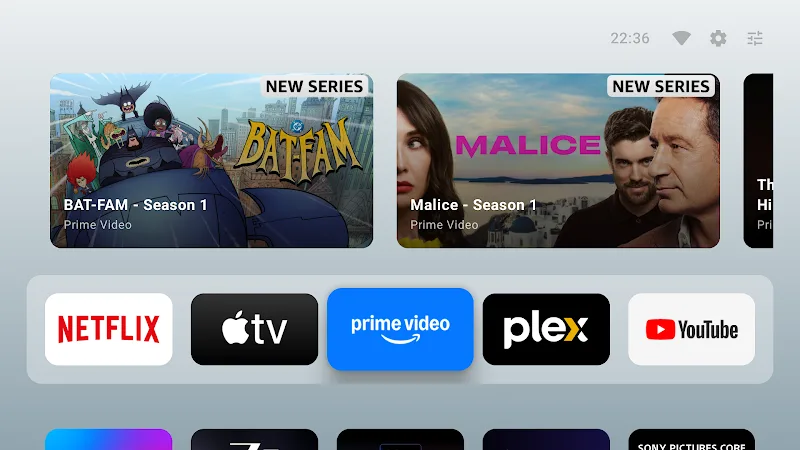
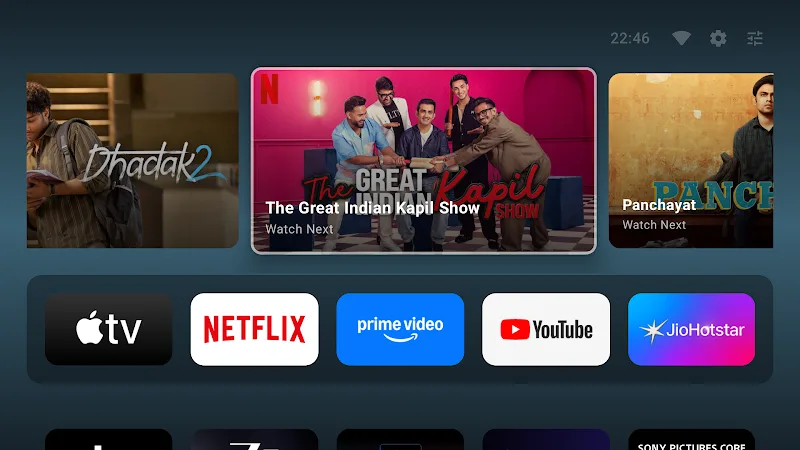
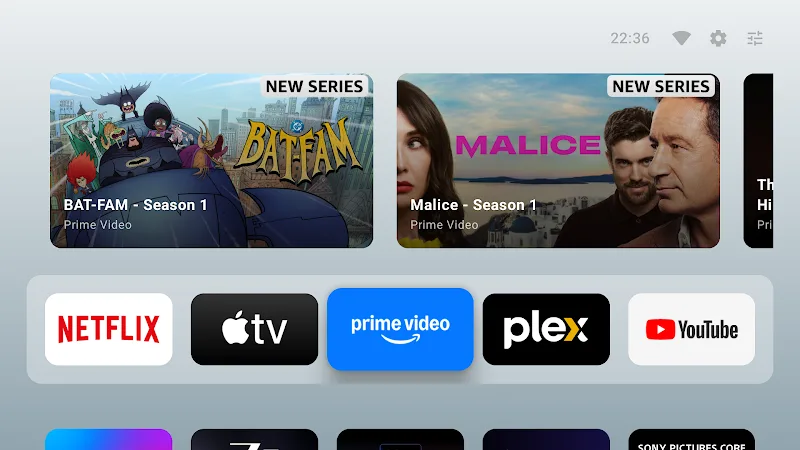
- Smart watch next: This smart feature automatically previews your upcoming shows and channels the moment you highlight an app, making content discovery more intuitive than ever before.
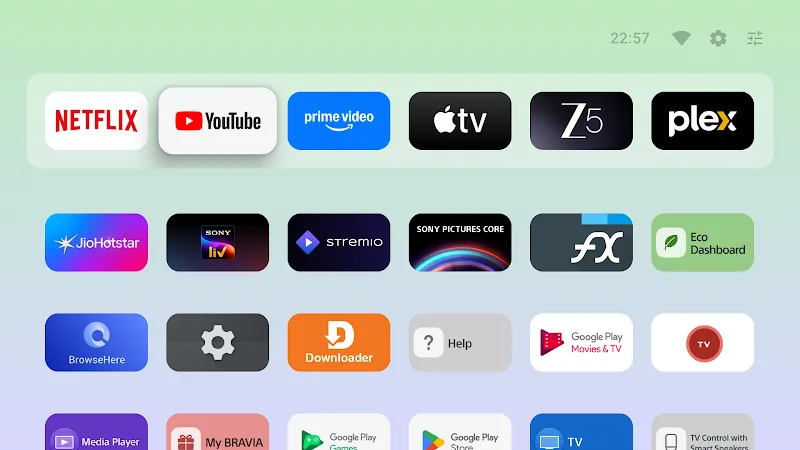
- Favorites row access: A dedicated favorites bar provides instant access to your most frequently used media platforms without the need for tedious navigation.
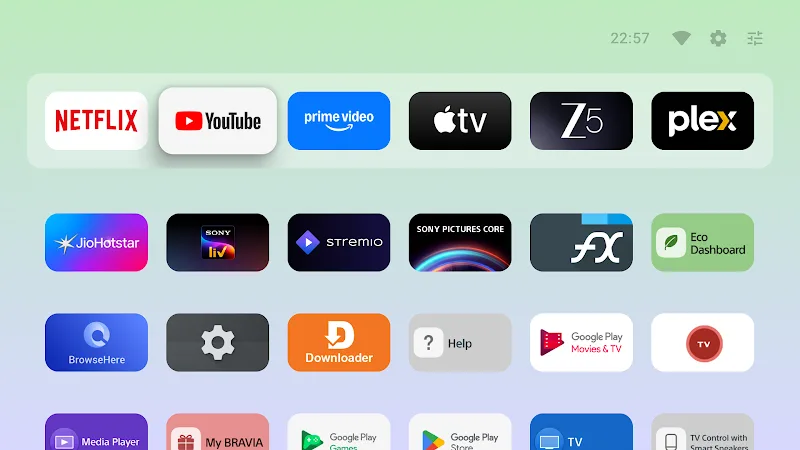
- Fast scrolling grid: The complete app list is arranged in a responsive grid that supports ultra-fast scrolling, which is especially convenient if you maintain a large collection of installed apps.
Performance and Customization
Do not let the clean look deceive you—AT4K Launcher packs deep customization options to transform your television into a truly tailored personal space. Its biggest highlight is absolute reliability: no ads, no background tracking, just raw speed and total privacy.
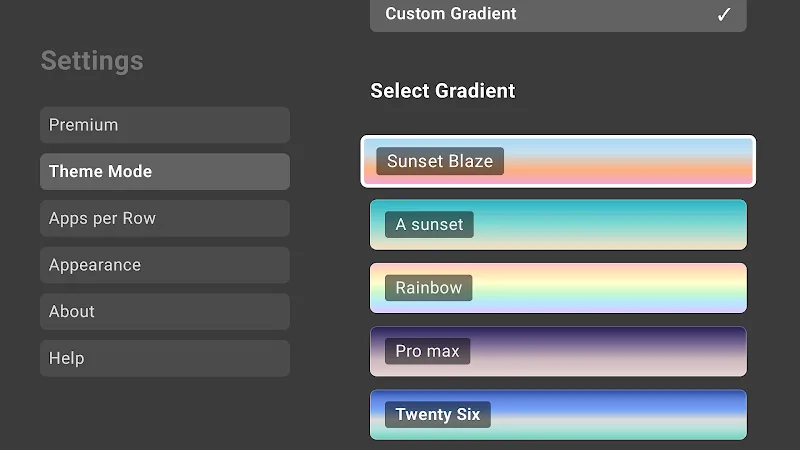
- Custom wallpaper effects: Customize your home screen by setting personal wallpapers or blending vibrant color gradients for a unique, eye-catching visual presentation.
- Long press reorder: Simply hold down the select button on your TV remote to quickly reorganize your app icons to suit your daily usage habits.
- Light dark themes: Flexible light and dark display modes help protect your vision during nighttime viewing while keeping the interface sharp and stylish during the day.
Overview of AT4K Launcher
AT4K Launcher is an ultra-minimalist personalization app designed specifically to revamp the home screen experience on Android TV devices. Developed by Cute Little Apps, this lightweight launcher replaces cluttered stock interfaces, intrusive advertisements, and unwanted recommendations with a clean, fluid environment. By stripping away unnecessary background bloat and resource-heavy menus, it helps modest TV box hardware run smoothly while delivering fast navigation and modern visual transitions right from the start.
This launcher is ideal for Android TV users who value speed, simplicity, and complete digital privacy. Cord-cutters with large application collections will appreciate the fast-scrolling grid, while households seeking quick access to daily entertainment will love the dedicated favorites bar. If you prefer a distraction-free screen without tracking or ads, and want flexible options like dark mode and custom wallpapers to personalize your living room display, this app is an excellent upgrade.
Key Highlights
- Smart Watch Next automatically previews upcoming shows and channels when an app is highlighted.
- Dedicated favorites bar grants instant access to your most frequently used media platforms.
- Responsive app grid supports ultra-fast scrolling for navigating large collections.
- Remote-friendly reorganization allows easy icon reordering by holding the select button.
- Flexible appearance settings offer personal wallpapers, color gradients, and light or dark themes.
MOD Features
- Full Version: Unlocks all premium customization capabilities and core launcher features without restrictions.











