
atvTools MOD APK 1.3.2 (Premium Unlocked)
v1.3.2
atvTools
tvDev · Tools
atvTools enables seamless control of Android TV devices via smartphones. While traditional television is becoming less common, many still prefer the immersive experience of large-screen content. Managing a TV remotely…
Information
| Version | 1.3.2 |
| Size | 46 MB |
| Requires | Android 8.0+ |
| Category | Tools |
| Updated | Oct 13, 2026 |
| MOD info | Premium Unlocked |
| downloads | 4 |
| Google Play | Google Play |
How to install
- Download the APK file above to your phone.
- Allow “Install unknown apps” when prompted.
- Open the downloaded APK and tap Install.
- If the package includes OBB/XAPK data, follow the bundled instructions.
MOD APKs are modified builds, so Play Protect may show a warning. Install only if you trust the file; use at your own risk.
Description
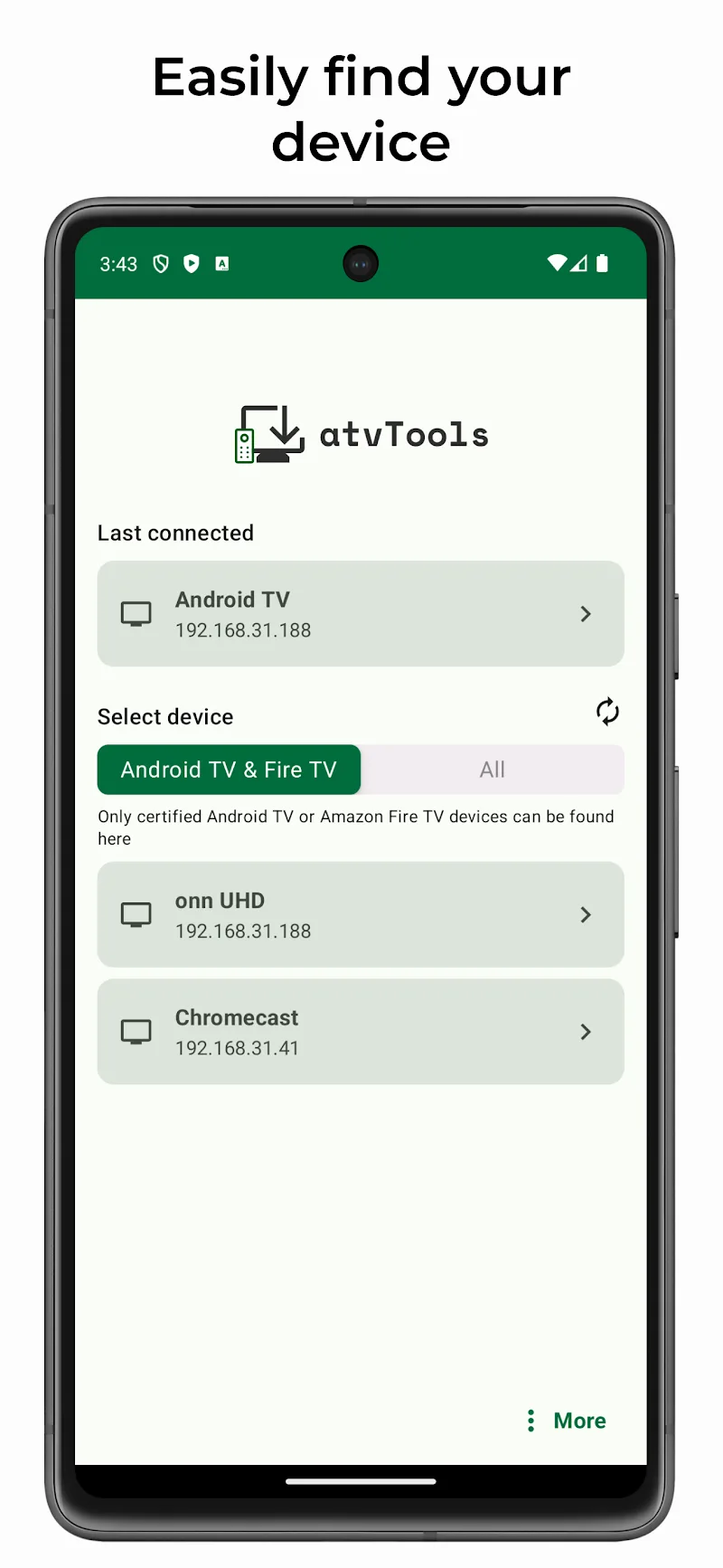
atvTools enables seamless control of Android TV devices via smartphones. While traditional television is becoming less common, many still prefer the immersive experience of large-screen content. Managing a TV remotely can be cumbersome, but smartphones offer a more intuitive and efficient alternative. To get started, users must enable USB or wireless debugging on their TV. Once connected, the tool simplifies the management of home entertainment systems with enhanced control and convenience.
APPLICATION MANAGEMENT & SYSTEM TOOLS
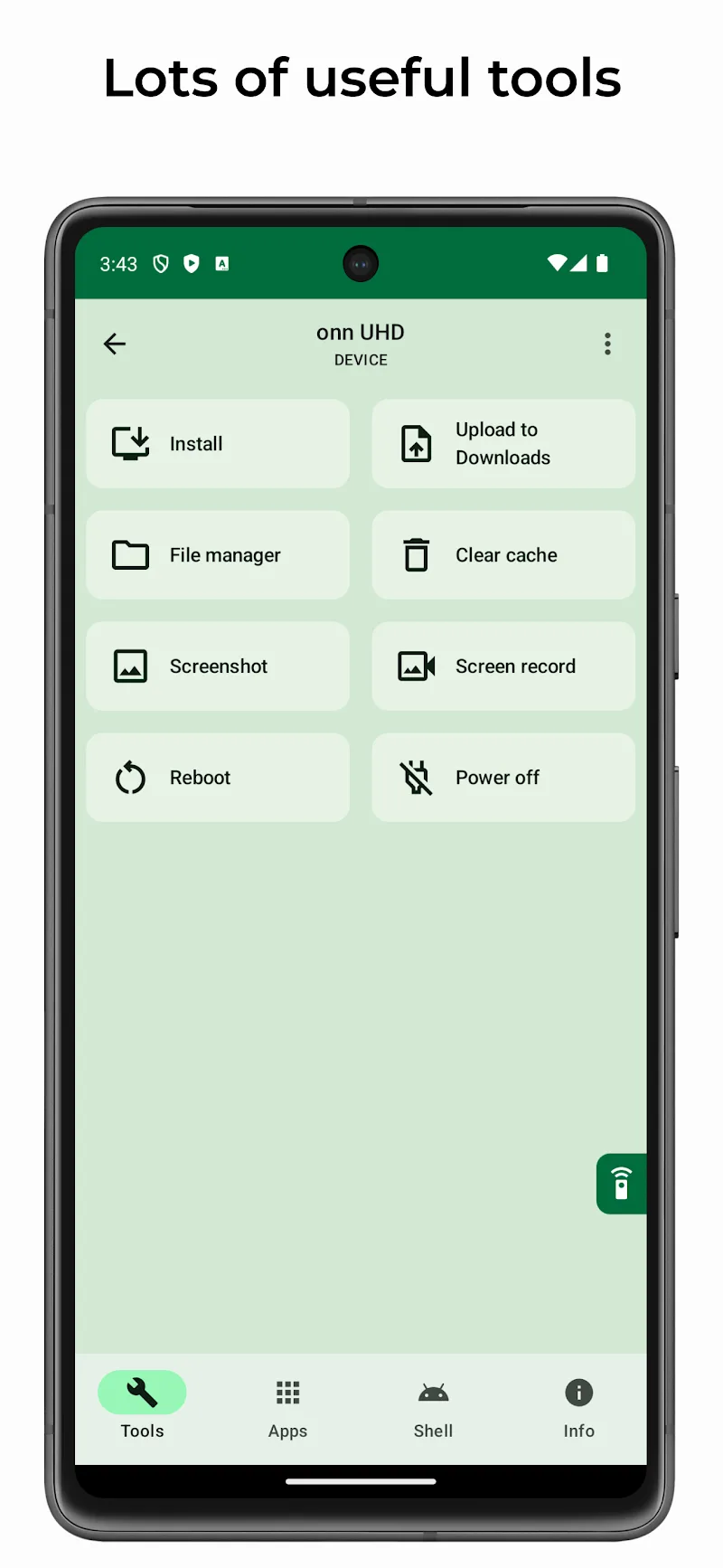
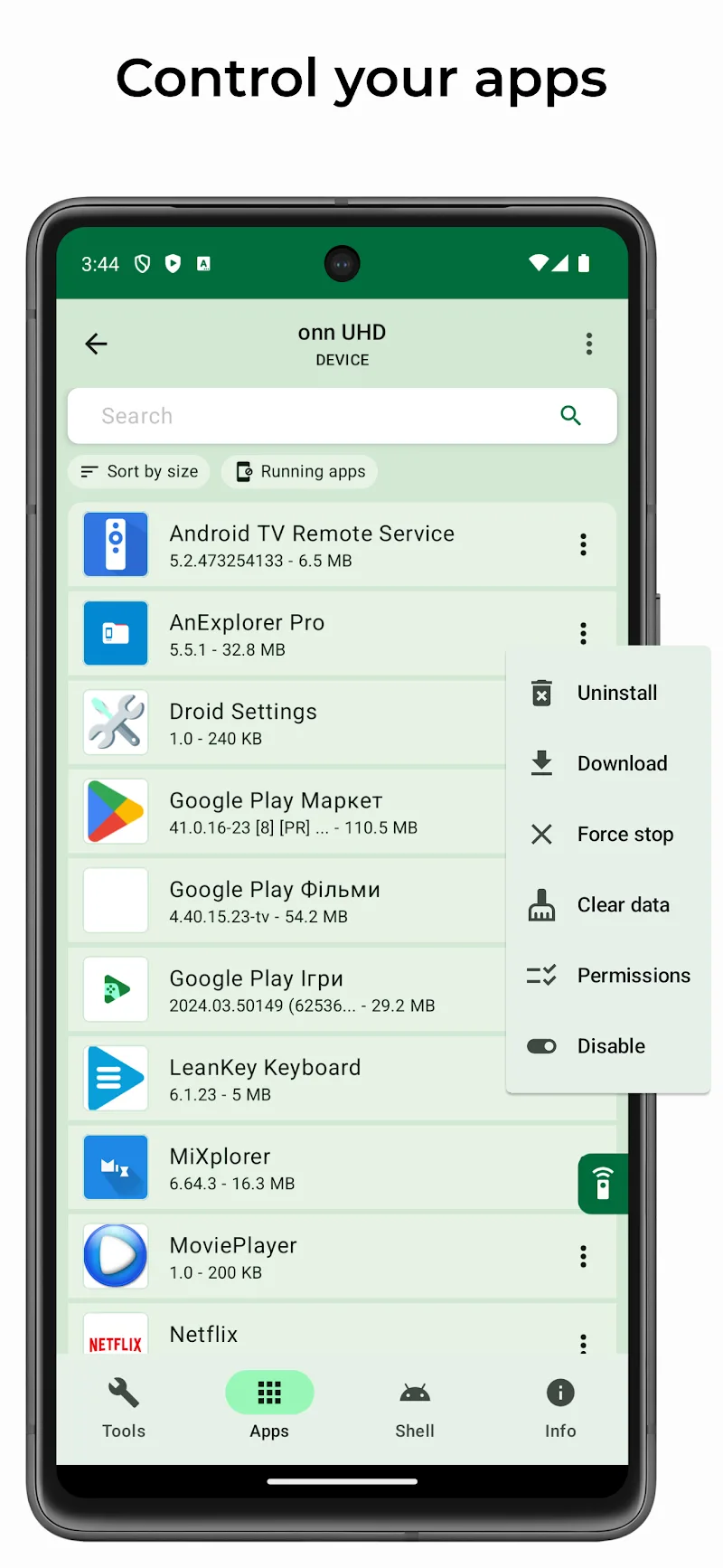
Users can transfer apps from their phones to Android TVs while managing permissions for installed software. Nearly all remote-controlled functions can be accessed through the smartphone interface. After establishing a connection, the phone functions as an advanced extension of the TV. The system lets users launch, uninstall, or stop apps to optimize performance and free up system resources. Additionally, clearing cache memory is just a single tap away for smoother device operation.
- Software management: Install, remove, and adjust app permissions.
- System optimization: Clear cache and force stop applications.
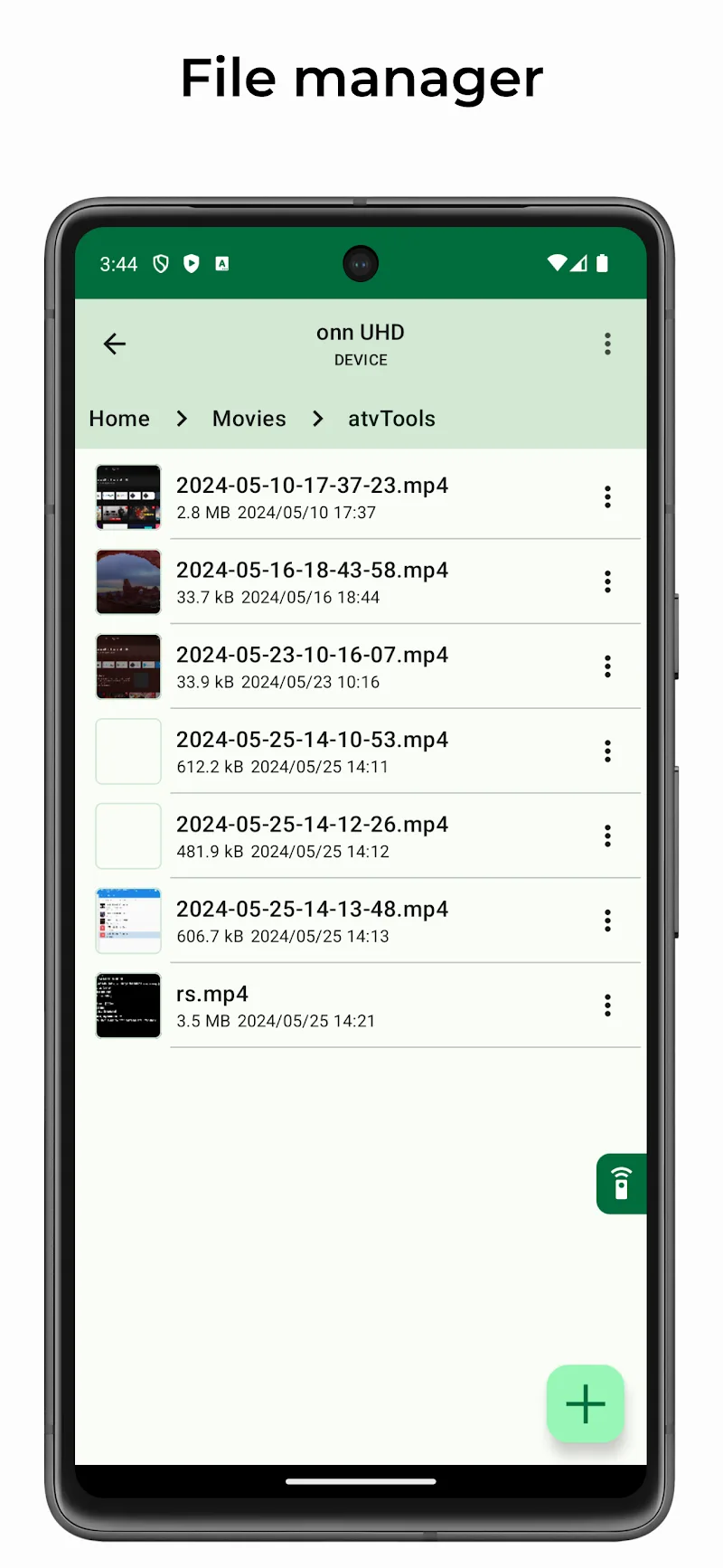
- File management: Transfer files and organize stored data with ease.
DEVICE CONTROL & PERFORMANCE MONITORING
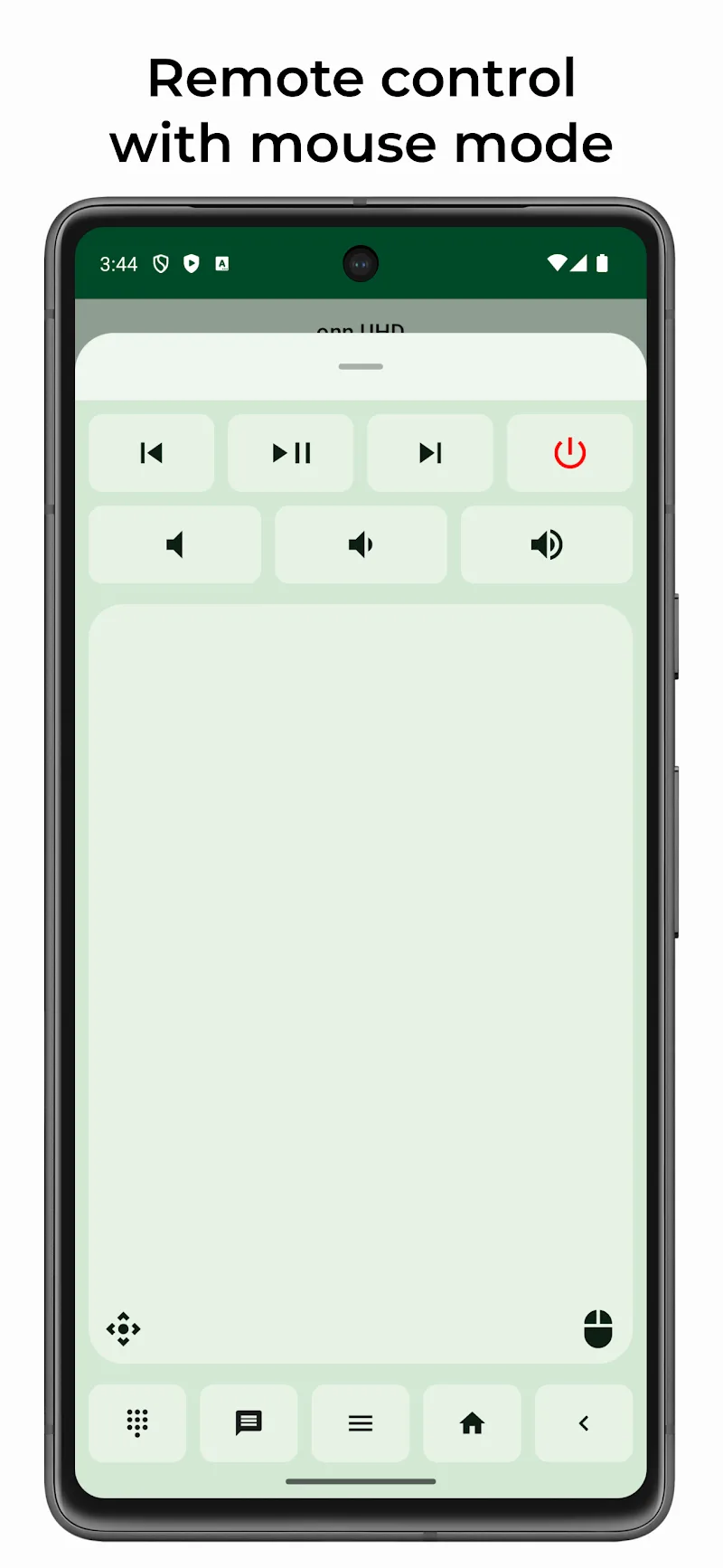
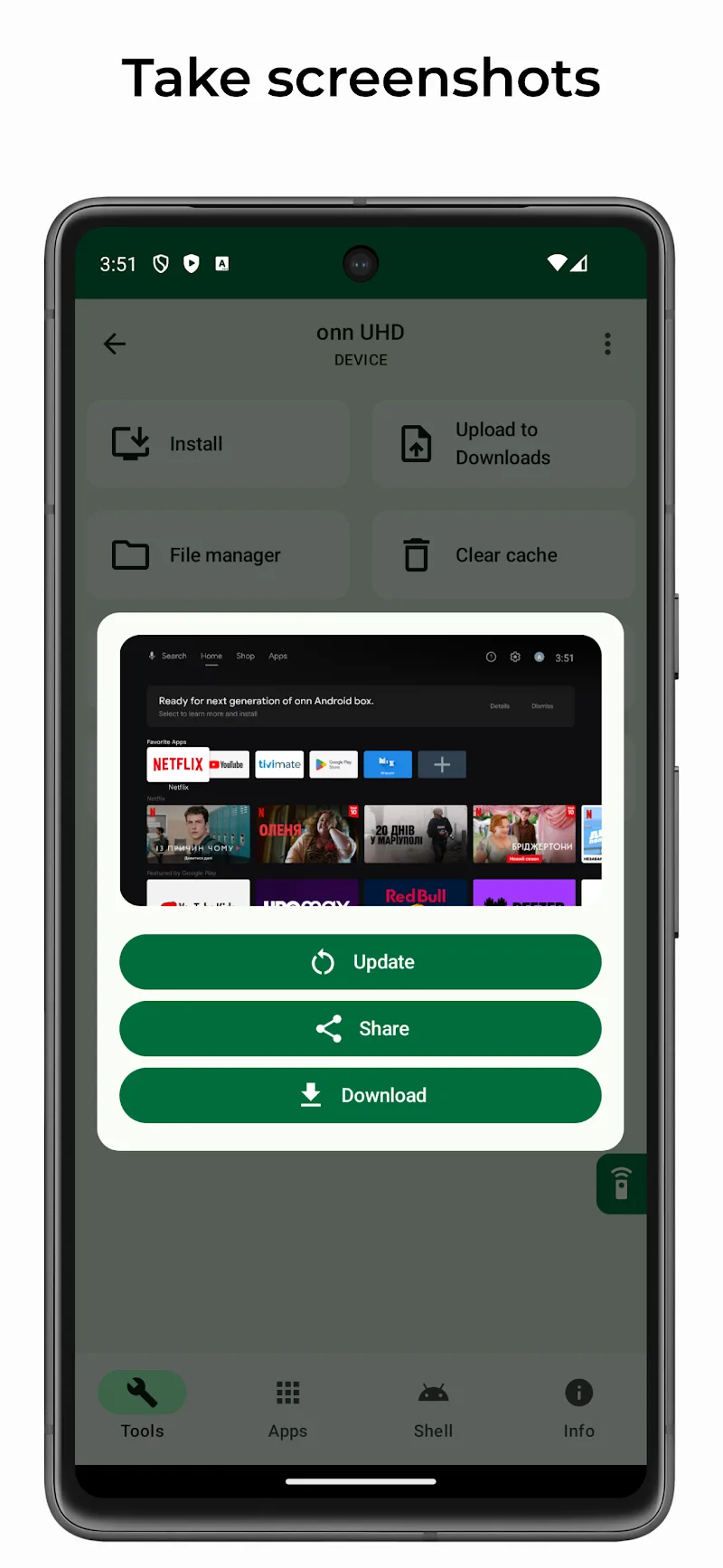
The smartphone serves as an integrated remote control with mouse and keyboard capabilities. Users can capture screenshots, run shell commands, or restart the TV directly through the app. Real-time system statistics are displayed for easier monitoring and troubleshooting. These tools ensure all essential functions remain accessible from the convenience of a smartphone.
- Flexible controls: Use mouse mode, remote input, and text pasting.
- Advanced system access: Execute shell commands and reboot devices.
- Live monitoring: Track CPU, RAM, and network usage in real time.
Overview of atvTools
atvTools is a versatile utility application designed to help users manage and control their Android TV devices directly from an Android smartphone. By establishing a connection through USB or wireless debugging, the app turns a mobile phone into a powerful extension of the television screen. Rather than struggling with standard TV navigation, users can handle software management, transfer files, and monitor live system metrics all within a single mobile interface. It simplifies everyday operations, making large-screen entertainment far more convenient to administer.
This app is ideal for home entertainment enthusiasts, cord-cutters, and power users who want deeper control over their Android TV setup. If you frequently test new applications, organize stored data, or need to troubleshoot sluggish hardware, atvTools offers the exact tools you require. With built-in mouse, keyboard, and command capabilities, anyone tired of cumbersome physical remotes will appreciate the fluid typing, quick cache clearing, and seamless multitasking. It delivers a streamlined management experience that saves time and keeps your big-screen device performing at its best.
Key Highlights
- Comprehensive App Management: Easily install, uninstall, launch, and configure permissions for applications on your TV.
- System Optimization Tools: Free up system resources with single-tap cache clearing and the ability to force stop apps.
- Convenient File Transfers: Seamlessly move files between your smartphone and television to organize local storage.
- Advanced Remote Input: Control your TV screen using integrated mouse mode, keyboard typing, and text pasting.
- Live Device Monitoring: Keep track of real-time performance statistics including CPU, RAM, and network usage.
- Direct System Controls: Capture screenshots, execute shell commands, and restart connected devices right from your phone.
MOD Features
- Premium Unlocked: Provides complete access to all advanced features and tools without requiring any paid upgrade.











